
Step 1: Obtain Official Decoder Script
Official GitHub decoder:
https://github.com/Milesight-IoT/SensorDecoders/blob/main/em-series/em300-sld/em300-sld-decoder.js
ThinkLink supports ChirpStack format without structural modification.
Step 2: Create a New Data Model
In ThinkLink:
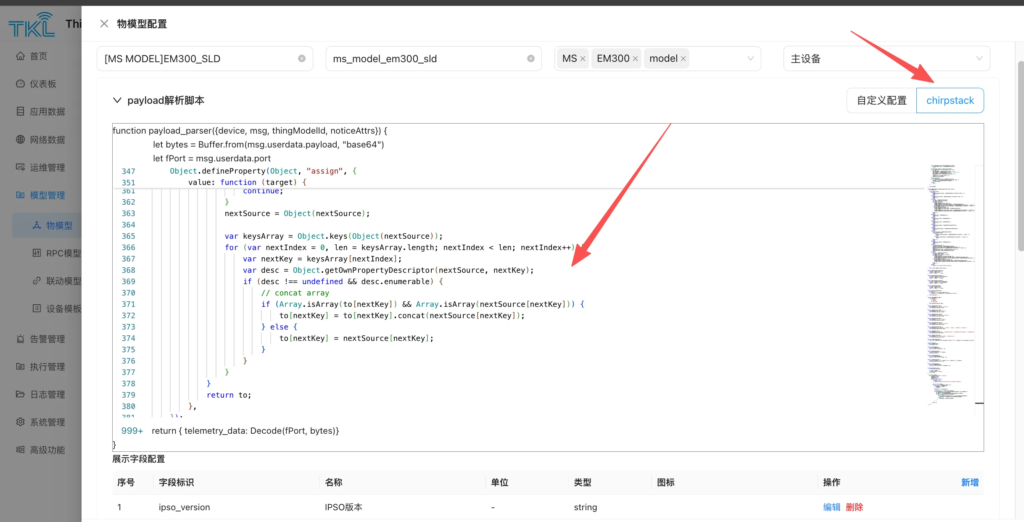
Model Management → Create New Model
- Enter name, tags, description
- Select code format: ChirpStack
- Paste full decoder script
- Save
Step 3: Configure Data Fields
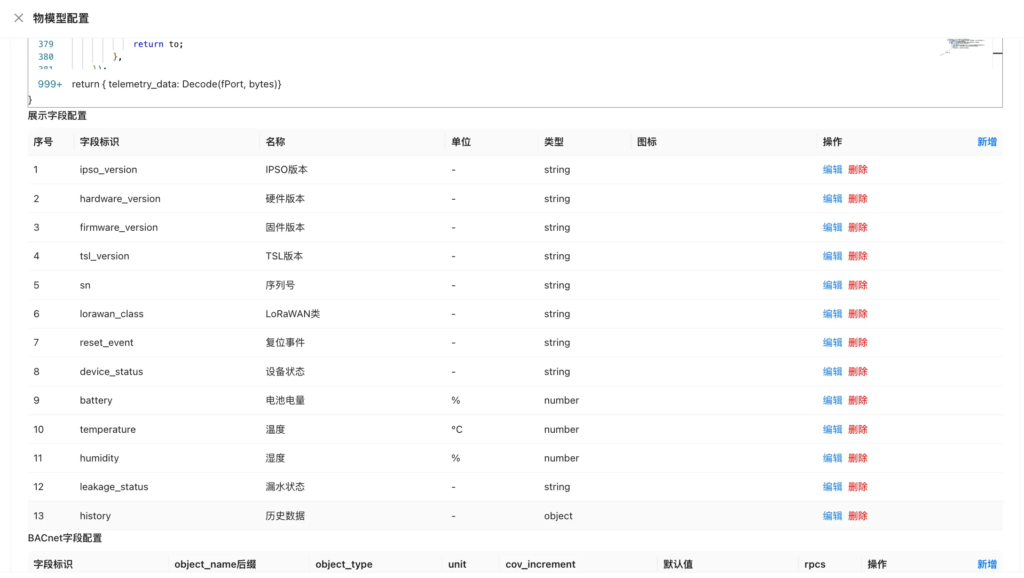
Important: Field identifiers must match decoder return keys exactly.
Recommended fields:
- water_leak_status
- battery_voltage
- temperature
- signal_quality
Save configuration.
Bind Model to Device
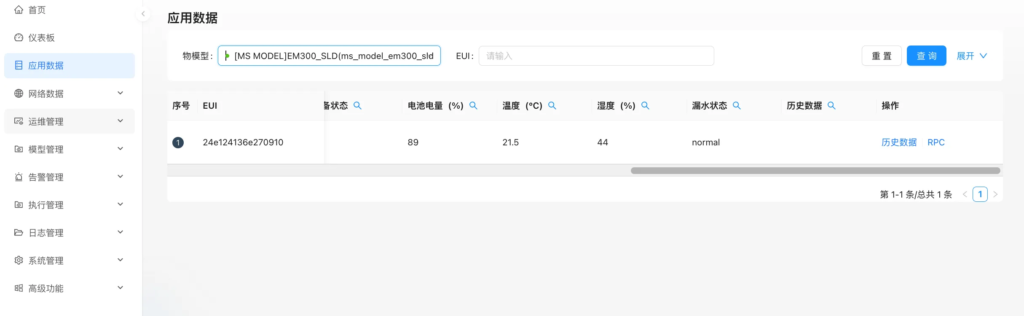
Device Management → Select device → Bind data model → Save
Parsed data will be displayed in real time.
Advanced: Data Enhancement & Logic Processing
You may extend decoder logic to implement:
- Unit conversion
- Threshold alarm flags
- Signal quality grading
- Gateway RSSI injection
- Device online state modeling
This enables intelligent structured IoT modeling.
TKL + EB Solution
ThinkLink combined with EdgeBus enables:
- Hardware-first deployment
- Remote protocol adaptation
- Scalable integration path
Ideal for legacy device LoRaWAN upgrades.
Experience ThinkLink online:
https://thinklink.manthink.cn